EXPLORE SCHOOLFI FEATURES

One platform.
More possibilities.

Explore the tools behind SchoolFi: school finances, marketing, academic records, your team and the families you serve.

On your phone. On your desktop. Built around your school.

FinanceMarketing & CRMSchoolFi SLMS
ONE CONNECTED SCHOOL WORKSPACE
SchoolFi · School management
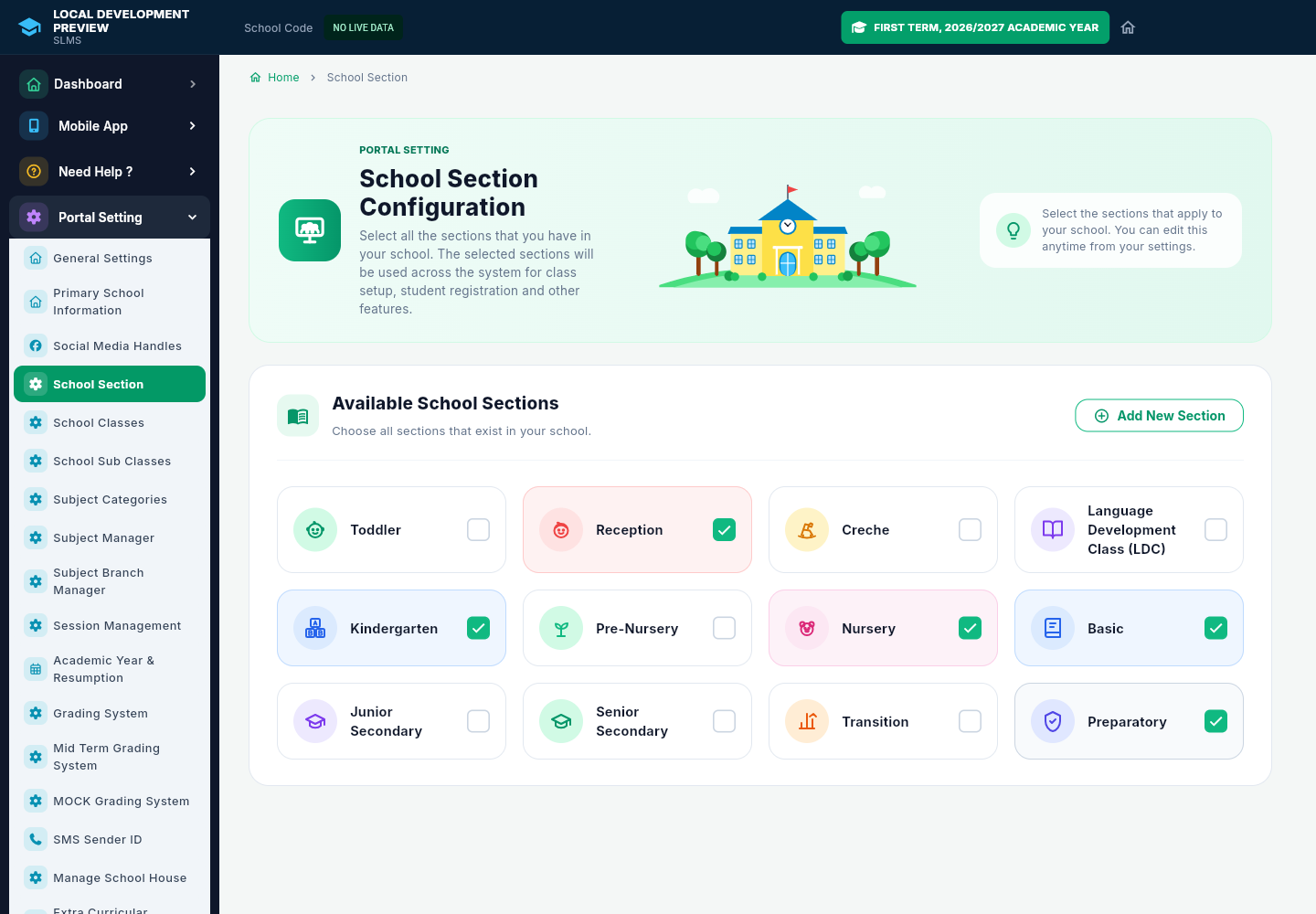
SchoolFi SLMS school-section setup, using demonstration data
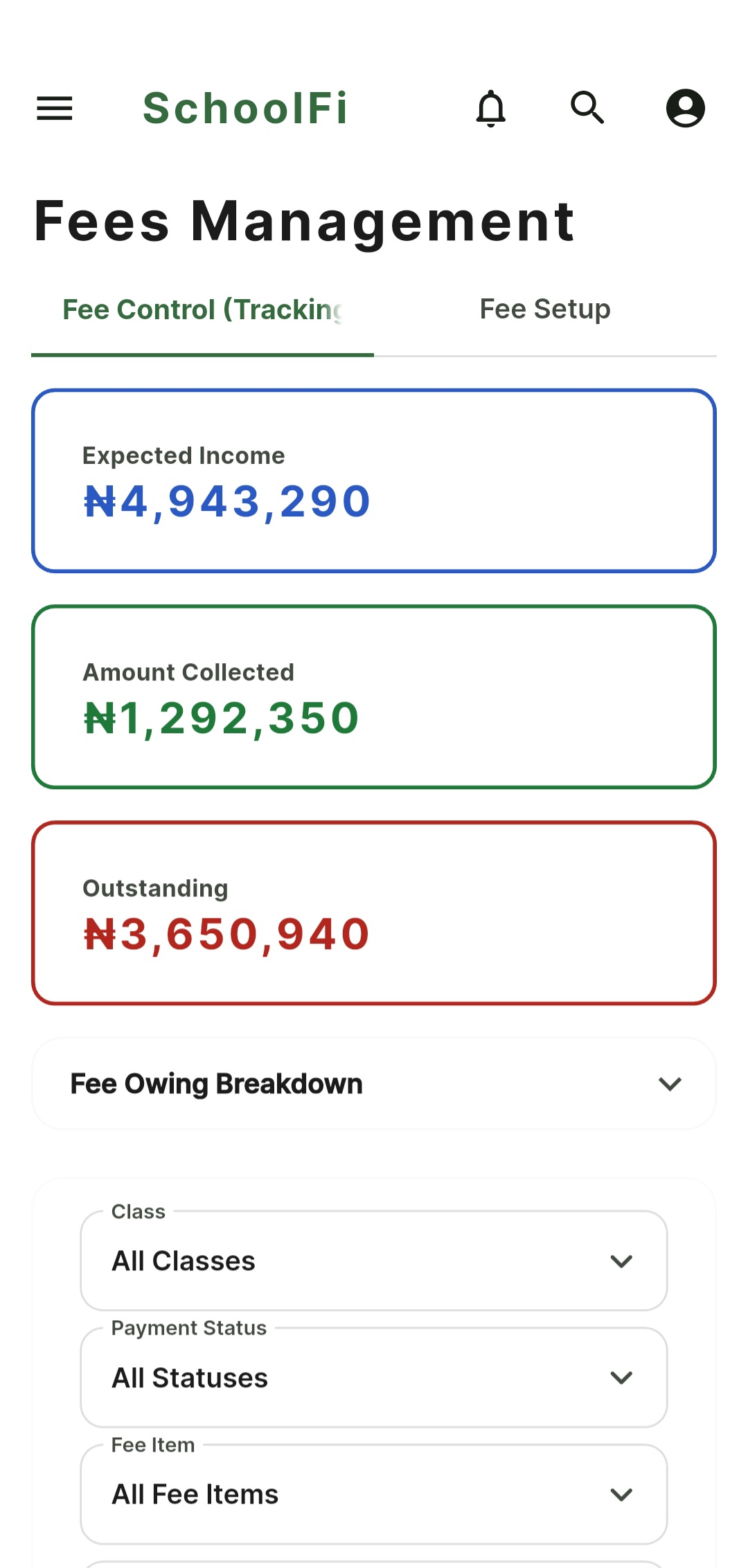
SchoolFi fees management on an Android phone
A clearer picture.
A more connected school.

Actual product screens. SLMS example uses demonstration data.

One school. Many moving parts.Bring them together.FINANCES + CONVERSATIONS + LEARNING

LESS SCATTERED. MORE CONNECTED.

Your school has a lot going on.
SchoolFi brings it into focus.

Start where you need support most. Connect the modules that fit your school as you grow.

01 / FINANCE

Know what’s paid.
See what’s owed.

Bring fees, payments, expenses and receipts together. Give your team a clearer picture of the money moving through your school.

  • Fees and payment tracking
  • Receipts, expenses and reports
  • SchoolFi Pay integration
Explore finance
02 / MARKETING

Keep the conversation
moving forward.

Organise enquiries and contacts. Build reusable follow-ups across the channels enabled and connected for your school.

  • Contacts and conversations
  • Templates, forms and campaigns
  • Follow-up workflows
Explore marketing
03 / SLMS

Keep the school day
connected.

Manage your school’s academic records and everyday processes in a dedicated workspace for the people who need them.

  • Pupils, classes and staff
  • Assessments, results and CBT
  • Parent and staff access
Explore SLMS

Module availability depends on your plan and the services enabled for your school. Messaging-provider charges may apply.

TAKE A CLOSER LOOK

Less imagining.
More seeing it for yourself.

02 / MARKETING

Your follow-ups.
Your own workspace.

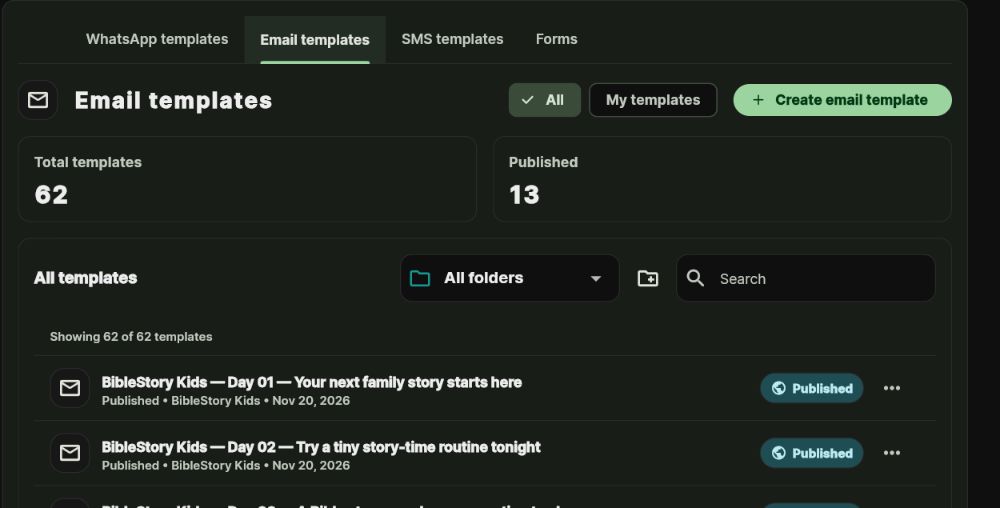
Keep your reusable email, SMS and WhatsApp templates organised, so your next school enquiry has a clear next step.

See SchoolFi for yourself ↗
SchoolFi marketing email-template library

SchoolFi marketing template library · Actual product screen

THE FULLER PICTURE

More than a dashboard.
Tools for the work behind it.

Explore the details. Features depend on your plan, enabled modules and connected services.

Finance & payments

Fees, payments, receipts and the bigger financial picture.

  • School profile, currency, academic sessions and terms
  • Class-based fee structures and additional fee items
  • Student payment records and payment allocation
  • Outstanding balances and payment follow-up priorities
  • Printable and shareable PDF receipts
  • SchoolFi Pay settlement information and setup support
  • Expenses, expense codes and budget-versus-actual views
  • Financial reports, statements and exports
Marketing & CRM

Stay organised from first enquiry to ongoing conversation.

  • Contact records, tags, lists and contact search
  • Reusable email, SMS and WhatsApp templates in folders
  • Editable enquiry forms and lead collection
  • A conversation inbox for connected channels
  • Campaigns and broadcasts with delivery schedules
  • Follow-up workflows, delays and conditional branches
  • Native-form and connected Facebook lead-form triggers
  • Funnel pages and connected-domain configuration where enabled
SchoolFi SLMS

A dedicated academic workspace for the school day.

  • Student directory, school sections and class management
  • Staff records and class allocations
  • Assessment entry, grading settings and result preparation
  • Result previews, publication and broadsheets
  • Weekly progress reports and academic history
  • CBT question management, exam schedules and scoring
  • Timetables, lesson notes and learning-aid records
  • Parent and Staff views with role-based access
HR & payroll

Keep the people side of your school organised.

  • Staff profiles and assigned roles
  • Salary components and payroll preparation
  • Payslip generation and PDF documentation
  • Payroll records and history
  • Access controls for financial and administrative tasks
Teacher tools

Support daily work without losing your Teacher workspace.

  • Teacher My Day view
  • Assigned-class access
  • Attendance records and daily activities
  • Teacher attendance settings where enabled
  • Teacher Performance Index (TPI) and configured metrics
Parent experience

Give families a clearer connection to school.

  • Parent access to their linked children’s information
  • Payment records and available receipts
  • Daily check-ins and attendance information where enabled
  • Published academic records and notices
  • SchoolFi Pay access where configured
Reports & records

Find the information you need, then put it to work.

  • Student and payment record search
  • Reports by session and term
  • Student and staff import/export options
  • PDF reports, receipts and payslips
  • Historical records and migration review
Teams & permissions

Give each person access that fits their role.

  • School-owner, administrator and Teacher roles
  • Parent and Staff access where enabled
  • Role-based visibility of sensitive financial information
  • School-specific feature controls
  • Separate records for each school
Multi-school operations

Bring the schools you manage into one platform.

  • Create and manage schools within the applicable plan
  • Switch between authorised school workspaces
  • Keep each school’s contacts and records separate
  • Configure the services needed by each school
  • Review current capacity and pricing in SchoolFi before subscribing

Your plan and school settings determine which features are available. We’ll help you confirm the setup that fits your school.

A STARTING POINT THAT FITS YOUR SCHOOL

Find your SchoolFi plan.

Review current prices and included features in SchoolFi before subscribing. Ask us if you’d like help choosing.

FROM TEACHER I.T

Technology is useful.
Getting it working
for your school matters.

You don’t have to figure everything out at once. Let’s look at what your school needs, choose a starting point, and connect the tools that will support your team.

Let’s talk about your school ↗
01

Tell us where you are

Start with your name, email and phone number using the short SchoolFi form.

02

Choose your starting point

Finance, marketing or your academic workspace. We’ll help you see what fits.

03

Build a setup your team can use

Review your records, connect the services you need and get familiar with SchoolFi.

A CONVERSATION WITH TEACHER I.T

Let’s talk about
your school’s next chapter.

Watch the school-revenue walkthrough from the original page, then explore what SchoolFi could help you organise.

Watch the walkthroughTeacher I.T’s introduction

A FEW THINGS YOU MIGHT BE WONDERING

Good questions.
Clear answers.

Can I use SchoolFi on my phone?

Yes. Use SchoolFi in your browser or download the Android app from Google Play. You can also open your school workspace on a desktop.

Do I have to use every module?

No. Start with what your school needs. The modules and features available to you depend on your plan and the services enabled for your school.

Can I bring my existing school records?

Talk to us about your current system and the records you need. We can review the available import options and what needs checking before you move.

Where can I see the current prices?

Open SchoolFi to review the current subscription plans before you subscribe. Ask for setup help if you’d like support choosing the right starting point.

How do email, SMS and WhatsApp work?

Your school’s connected providers handle delivery. Sending allowances and any additional charges depend on the channel and your setup. WhatsApp is billed separately by Meta.

YOUR NEXT STEP DOESN’T HAVE TO BE COMPLICATED

Let’s put SchoolFi
to work for your school.

Start with your name, email and phone number. Use the short SchoolFi interest form to request help. Its notice explains the follow-up updates before you submit.
I’m ready to sign up →

Your school.
Your next chapter.

Available on Google Play ↗